Compare
Keep the CLI. Get the canvas.
Other tools wrap Claude Code in a chat box or ship it off to their servers. Starkomand runs the terminals you already love on one Mac canvas, and gives you the tools to run all of them at once.
v1.0.4 · Apple silicon · free for 3 days · no account
Your CLI stays.
Claude Code, Codex and Cursor run as themselves, in real terminals. Every flag, every slash command, every keybinding, every config file.
Pay once.
One license per Mac with a year of updates. No seats, no credits, no meter on top of the subscriptions you already have.
Yours to shape.
Name the crew. Pick a backdrop or drop in your own. Put any CLI in the launch menu. One workspace per project, or per mood.
Side by side.
Starkomand next to the other agent canvases and the hosted platforms, from their public pages on 27 September 2026.
| Criterion |  Starkomand Starkomand |
AgentGrid | Maestri | Conductor | Hosted agentsDevin, Cursor Cloud Agents |
|---|---|---|---|---|---|
| What it is | Your CLIs in real terminal windows on one canvas, with the tools around them. | Master and worker agents in panes on a canvas, with a coordinator chat. | Agents as connected terminals on a canvas that message each other. | Parallel agents in a chat pane, one git worktree each. | A web chat that drives the vendor’s agent inside its own VM. |
| The CLI you know | The real TUI in a real pty. Flags, slash commands, keybindings and config, untouched. | Terminal panes. | Terminals. | A chat pane built on the SDK, with a terminal in the side panel. | None. The vendor’s model, in a browser tab. |
| Agents | Claude Code, Codex, Cursor, Gemini CLI, Grok CLI, GitHub Copilot, OpenCode, Amp, Pi, Aider, Goose, and any CLI you configure.Several sessions of the same provider, each signed in as you. | Claude Code, Codex, Cursor, OpenCode, Antigravity, Kimi, Grok, Devin, Pi. | Claude Code, Codex, OpenCode, plain shells. | Claude Code, Codex, Cursor, OpenCode. | The vendor’s own. |
| Where your code runs | Your Mac. No account. The local server listens on 127.0.0.1 only. | Your machine. Cloud agents and cloud sync on Pro. | Your Mac. Zero telemetry. | Your Mac. Cloud workspaces on Pro. | Their servers. Your repo is cloned into their VM. |
| Price | $49 to $169 once, per Mac, with a year of updates. Free for 3 days.Launch prices, set by seats sold. See the ladder. | Free: 3 projects, up to 10 agents each. Pro $16 a month, billed $192 a year. | Free: 1 workspace. Pro $18 once, up to 2 Macs. | Free locally. Pro $50 a month for cloud hours and multiplayer. | $20 a month and up, plus metered work. Devin: $2.25 per ACU. |
| Hand work to another agent | A saved brief with the objective and criteria, bounded review rounds, then Ready for human review. | A master delegates to workers. | Agents message each other over PTY. | — | — |
| Catch up on every window | Hold Space. Every window flips to a recap of what it did and where it is. | — | — | — | — |
| Diagrams | An agent draws the architecture beside its terminal. Editable. | — | Sketch tools and agent-written sticky notes. | — | — |
| Browser previews | A browser window beside the agent, on the canvas. | Browsers on the canvas. | Portals: websites, simulators, devices. | — | Inside their VM. |
| Issues and pull requests | Drop a GitHub issue on a window. The Flight board shows pull requests by stage. | Source control on the canvas. | — | Diff review, open a PR, merge. | Opens pull requests. |
| Voice and hands | Hold ⌥ and speak to an agent by name. Pinch, pan, clap to tidy. On-device, and optional. | — | — | — | — |
| Workspaces | Unlimited. Each keeps its crew, folder, layout and backdrop, your own image included. | 3 projects free. Unlimited canvases on Pro. | 1 free. Unlimited on Pro. | One worktree per workspace. | One per task. |
| Platform | macOS on Apple silicon. | macOS, Windows, Linux. | macOS 15.4 and later. Windows and Linux listed. | macOS. Windows on a waitlist. | Any browser. |
Head to headvs AgentGridvs Maestrivs Conductor
A dash means the product’s own site does not advertise it. Prices and features are from each product’s public pages on 27 September 2026 and may have changed since; product names belong to their owners. Spotted a change? Tell us.
Fair is fair. Maestri is native Swift and costs less. AgentGrid runs on Windows and Linux. If either matters more to you than the rest of this table, choose them. If you want your CLIs, the tools around them and one price on a Mac, this is the one.
Hosted agents
Your repo, on someone else’s box.
A hosted agent clones your code into its VM, meters the minutes on top of the model, and hands you a chat window instead of a terminal.
A hosted agent, every month
- Plan
- $20 and up
- Metered work
- $2.25 per ACU, about 15 minutes each
- Your repo
- Cloned to their VM
- The CLI
- Gone. A web chat.
Starkomand, once
- License
- $49 to $169, per Mac
- Metered work
- None on top of your subscriptions
- Your repo
- On your Mac
- The CLI
- The one you already run
- Metered twice
- Devin bills $2.25 per ACU above a $20 plan. Cursor’s own guidance puts anyone running several agents at $200 a month or more.
- One model
- A hosted agent is the vendor’s model. Starkomand runs eleven CLIs and anything else you add, and you pick per window.
- A chat box
- Flags, slash commands and permissions live in the terminal. A web UI hides them. Starkomand keeps them exactly where they are.
More than a grid of terminals.
A canvas that only holds windows is a nicer tmux. These are the moves that make it a workspace.
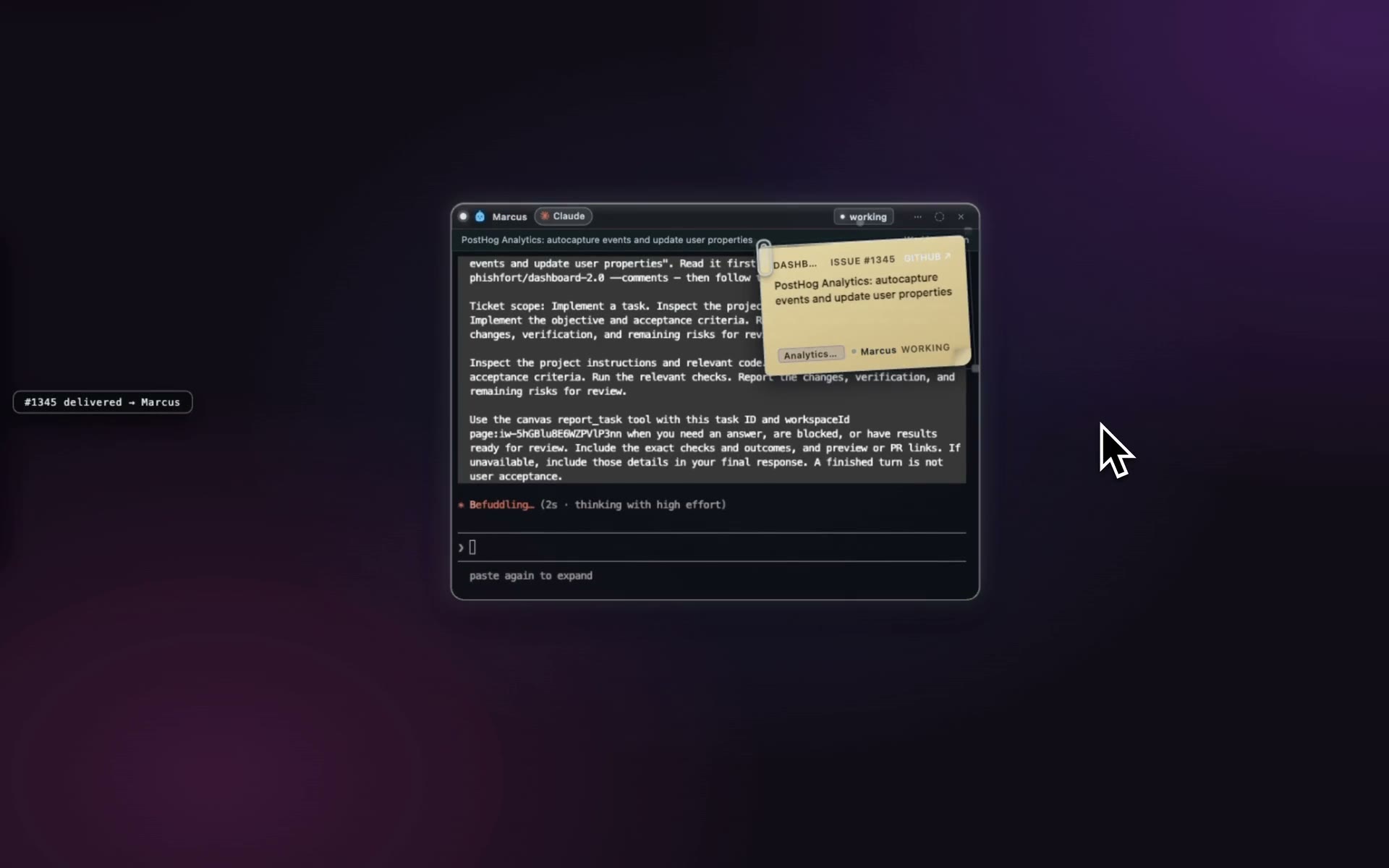
Drop the issue on a window.
Pull a GitHub issue onto the canvas and drop it on an agent. It starts, and the note stays pinned beside the work.
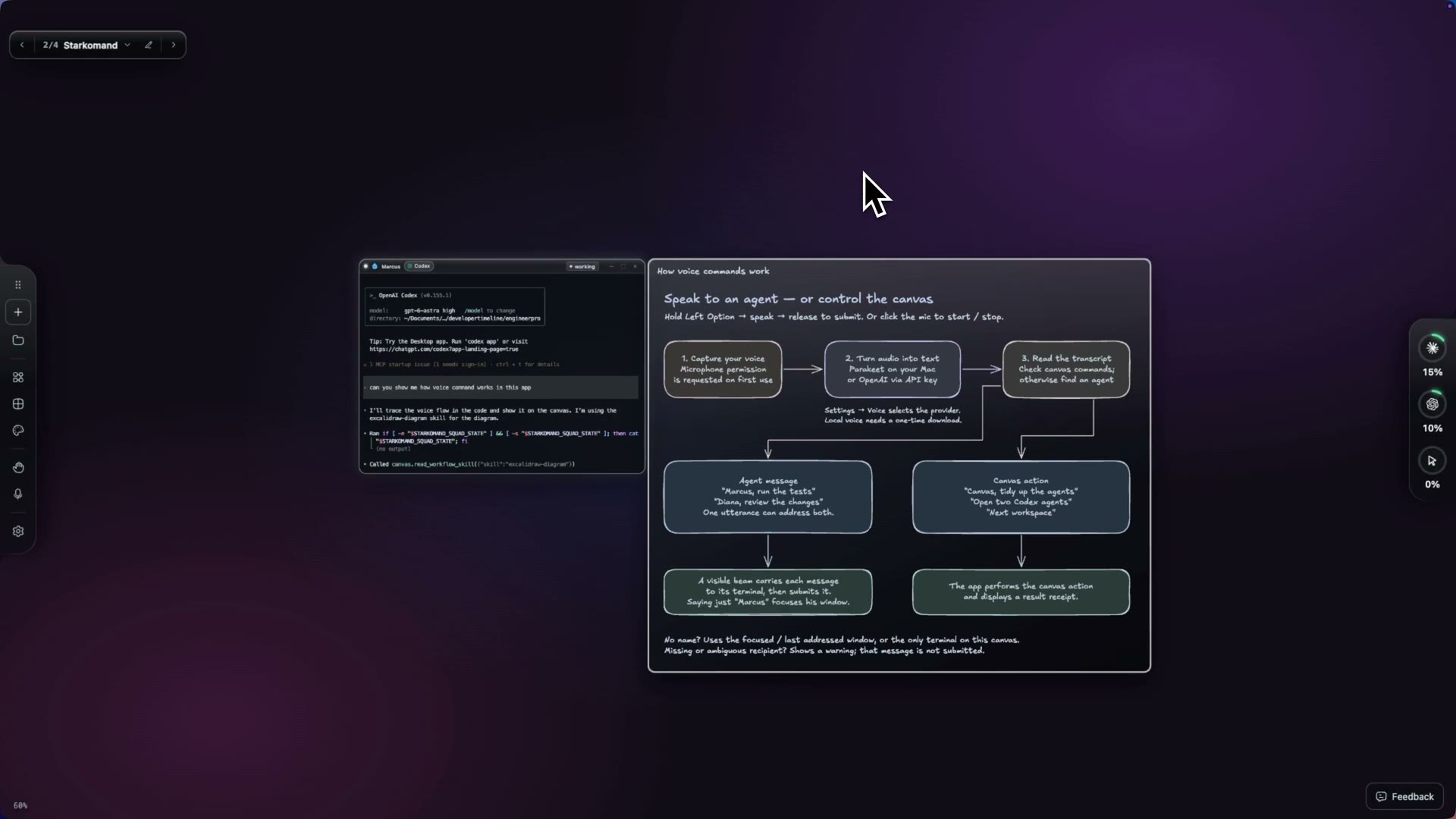
See the plan drawn.
Ask for the architecture. The diagram lands beside the terminal, hand-drawn and editable.
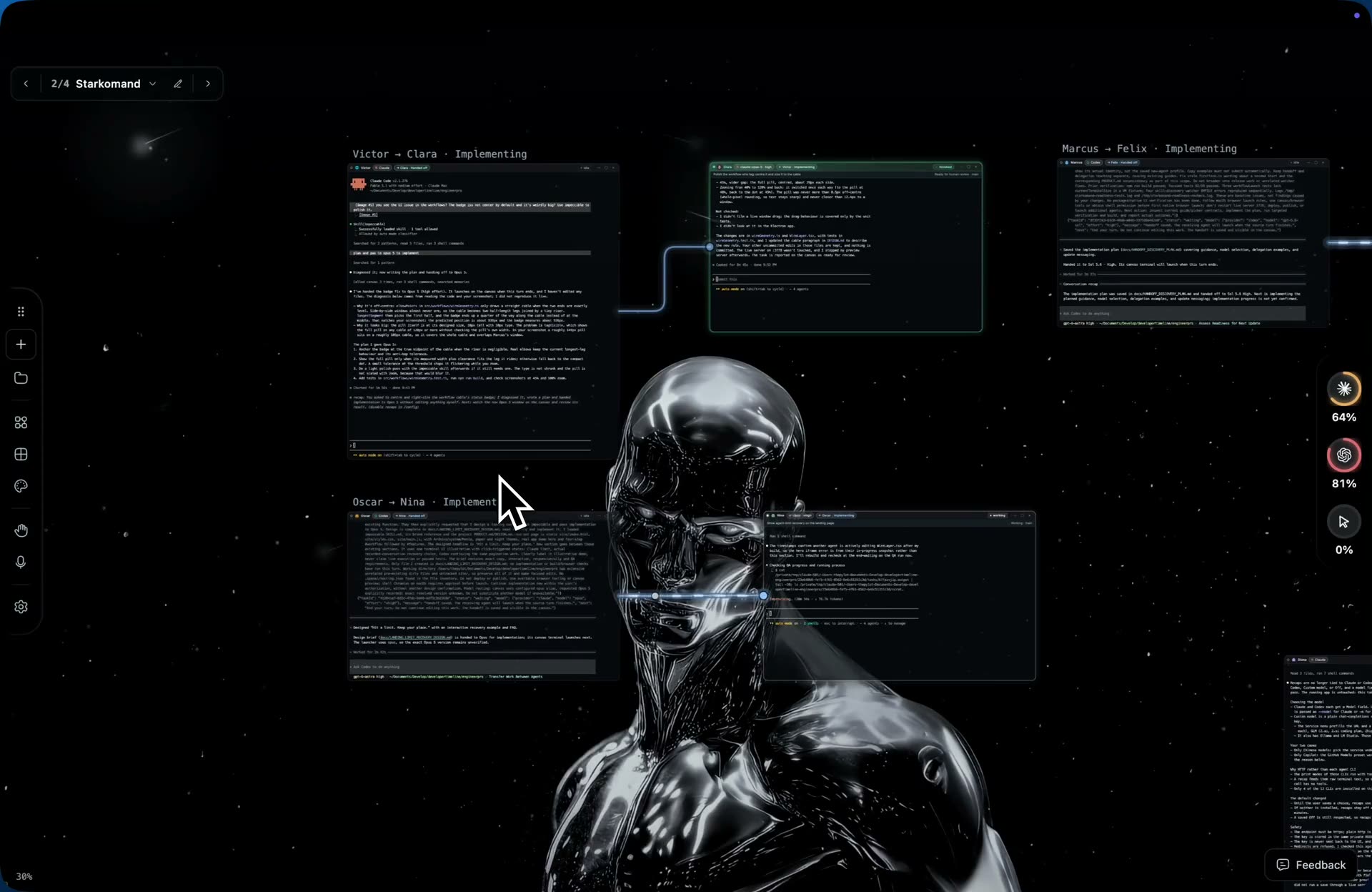
Pass it on with the brief.
A fresh agent starts from a focused brief. The wire shows who works for whom, and review rounds stay bounded.
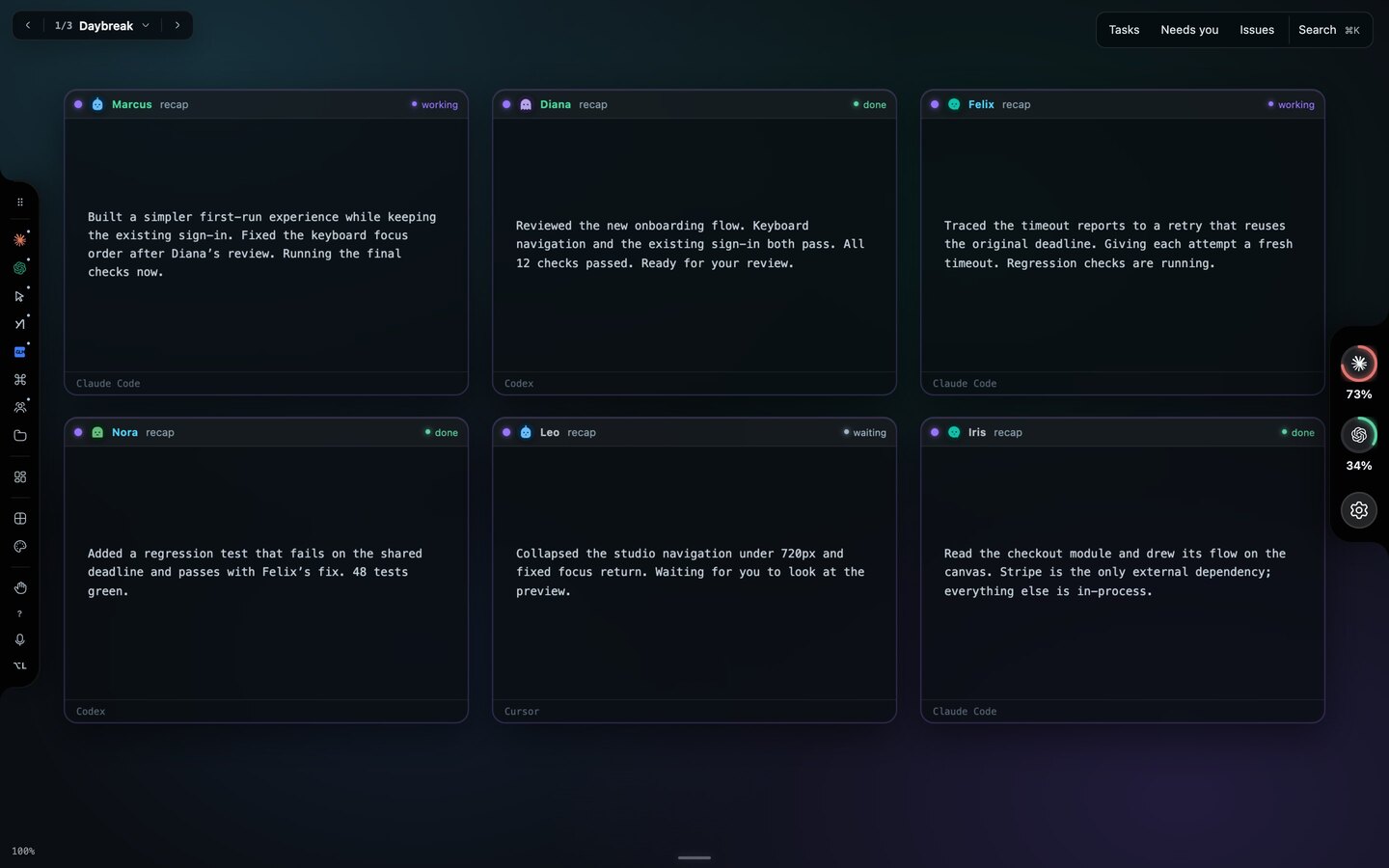
Catch up in one keypress.
Hold Space. Every window flips to what it did and where it is, with the ones that need you marked.
Work, side projects, and the rest.
One canvas is enough for everything you run agents on, and everything you run beside them.
Work
Three agents on three issues, and the Flight board for the pull requests.
Side projects
One workspace each, with its own crew, folder and backdrop.
Servers and scripts
A zsh window is a window too. Ports shows every dev server and who started it.
The limit
Claude ran out? Continue in Codex from the recorded conversation.
Switching
Do I lose anything from the CLI?
No. Starkomand spawns the real CLI in a real pty, so slash commands, flags, keybindings and your config files work exactly as they do in Terminal. The canvas adds windows, wires and tools around it; it never sits between you and the agent.
Can I bring my existing setup?
Yes. It runs the CLIs you have installed, signed in as you. Nothing to migrate and no keys to paste. Agent subscriptions and usage stay with your providers.
Is it a subscription?
No. One purchase per Mac with a year of updates, and the version you have keeps working after that year. Every feature is free for 3 days first, with no account and no card.
How much can I customise?
The crew’s names, the backdrop (Slate, Void, Aurora, Ember or your own image), which agents sit in the launch menu, the handoff workflows, voice and hand control on or off, sound cues on or off, and one workspace per project with its own layout.
Windows or Linux?
Not yet. The current download is for macOS on Apple silicon.
Try it against your own setup.
Every feature, every provider, free for 3 days. Your CLIs are already installed; the canvas takes a minute.
v1.0.4 · Apple silicon · no account