
How to run Claude Code and Codex side by side on a Mac
Run Claude Code and Codex side by side on a Mac without edit collisions: split the roles, isolate writers in Git worktrees, and see who finished.
Running Claude Code and Codex side by side on a Mac is easy to start: open two terminals, run claude in one and codex in the other. The difficulty comes a few minutes later, when both agents edit the same file, you cannot remember which tab finished, and one of them hits its usage limit halfway through a change.
This is the setup I use to run the two in parallel without those problems, first with plain terminals and Git, then in Starkomand, the Mac app I build for running coding agents on one canvas. It assumes a Git repository and a Mac with Node.js installed.
Install and sign in to both CLIs
Both agents are command-line tools, and each one signs in with its own account:
npm install -g @anthropic-ai/claude-code @openai/codex
Run claude once and follow its sign-in, then do the same with codex. Each CLI keeps its own login, so running both uses the Claude and ChatGPT plans you already pay for. Neither needs to know about the other.
Give them the same project rules. Codex reads AGENTS.md and Claude Code reads CLAUDE.md, so I keep the rules in AGENTS.md and make CLAUDE.md a single line, @AGENTS.md, which Claude Code expands as an import. Both agents then follow one set of instructions, and there is only one file to update.
Give each agent a different job
Two agents writing to the same files at the same time will overwrite each other's work. Before starting the second agent, I decide which of three setups this is:
- One writes, one reads. Claude Code implements, and Codex reviews the diff without editing. This is the setup I use most, because a second model finds problems the first one argued itself out of.
- Two writers, separate areas. One agent works on the API while the other works on the UI, and the prompts say which directories each may touch.
- Two writers, same area. Each agent gets its own Git worktree, described in the next section.
Put the boundary in the prompt itself: "Review the changes in src/onboarding/. Do not edit files." An agent follows a stated limit much more reliably than one it has to infer.
Keep two writers apart with Git worktrees
A Git worktree is a second checkout of the same repository in another folder, on its own branch. Changes in one folder do not touch the other until you merge them:
git worktree add ../myapp-codex -b codex/retry-timeout
cd ../myapp-codex && codex
Claude Code keeps working in the original folder and Codex works in ../myapp-codex. When the branch is merged, remove the folder with git worktree remove ../myapp-codex. The new worktree starts from the current commit, so commit or stash anything Codex needs to see first.
Run them on one canvas instead of two tabs
Tabs and split panes work, but they hide what I most need to know: which agent is waiting for me. Starkomand puts each agent in its own window on an infinite canvas, so both are visible at once, next to the issue and the browser preview.
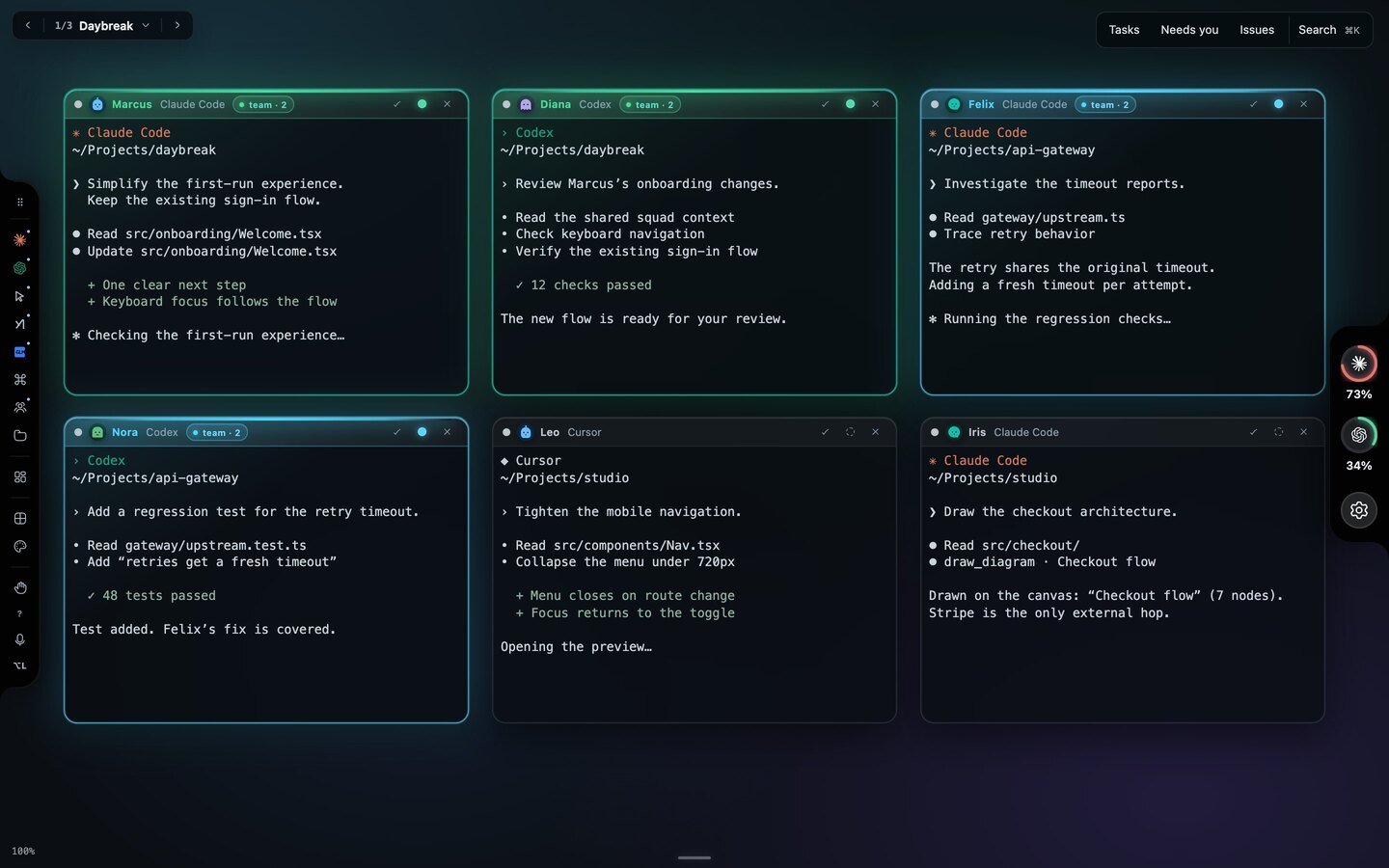
Captured from the app with scripted terminal output; the projects and files are illustrative. The names identify agent sessions, not people.
To open the agents, ⌘-click or right-click an empty spot on the canvas and choose Claude Code, then do the same for Codex. Each window opens where you clicked. The + on the launcher rail opens the same menu, and an agent that is not installed shows Not installed · set it up. New windows start in the workspace's Launch folder, which you set from the rail. To put Codex in a worktree, point the launch folder at the worktree, open Codex, and point it back. A window keeps the folder it started in.
Every window gets a first name, such as Marcus or Diana. The name exists so you can address the session. With voice on, hold ⌥ and say "Diana, review Marcus's onboarding changes", and the line goes to that window. You can also say "open two codex agents".
Starkomand runs the CLIs you installed, signed in as you. It does not resell tokens or ask for API keys, so the side-by-side setup costs nothing beyond the plans you already have.
Know which agent finished
With two agents running, the question I ask most is whether either of them needs me. Each window's header shows working while its agent runs and finished when the turn ends, and the finished window lights up so you can spot it from across the canvas. If voice announcements are on, Starkomand also says it aloud: "Diana finished."
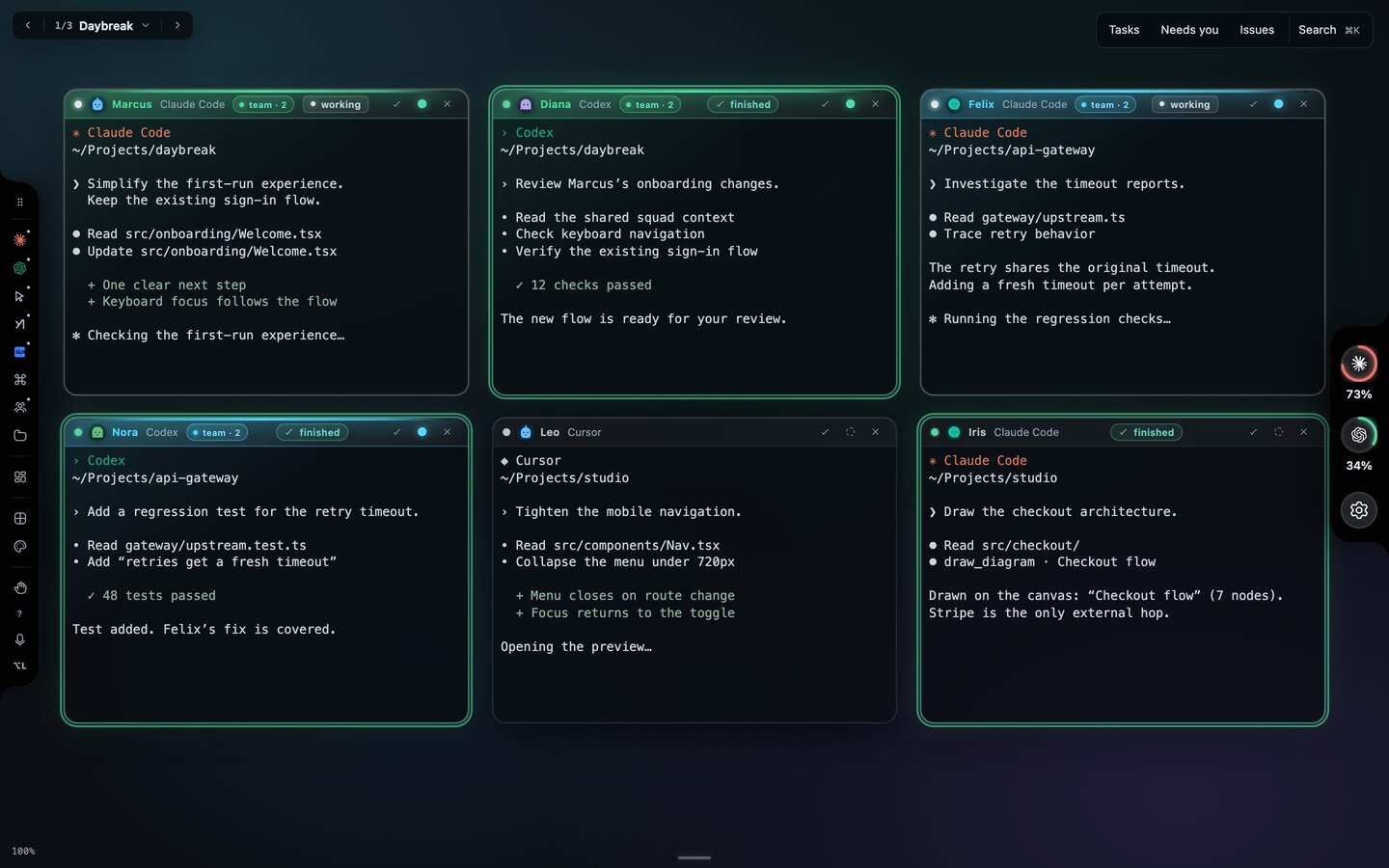
Captured from the app with scripted terminal output and agent states.
What to do when Claude Code hits its usage limit
Running two providers side by side also gives you a fallback. With Usage meters turned on in Settings, each provider gets a ring on the right edge of the canvas showing how much of its plan is used, and hovering over a ring shows when the session and weekly limits reset. The meters are off until you turn them on, because reading each CLI's sign-in on macOS raises a Keychain prompt.
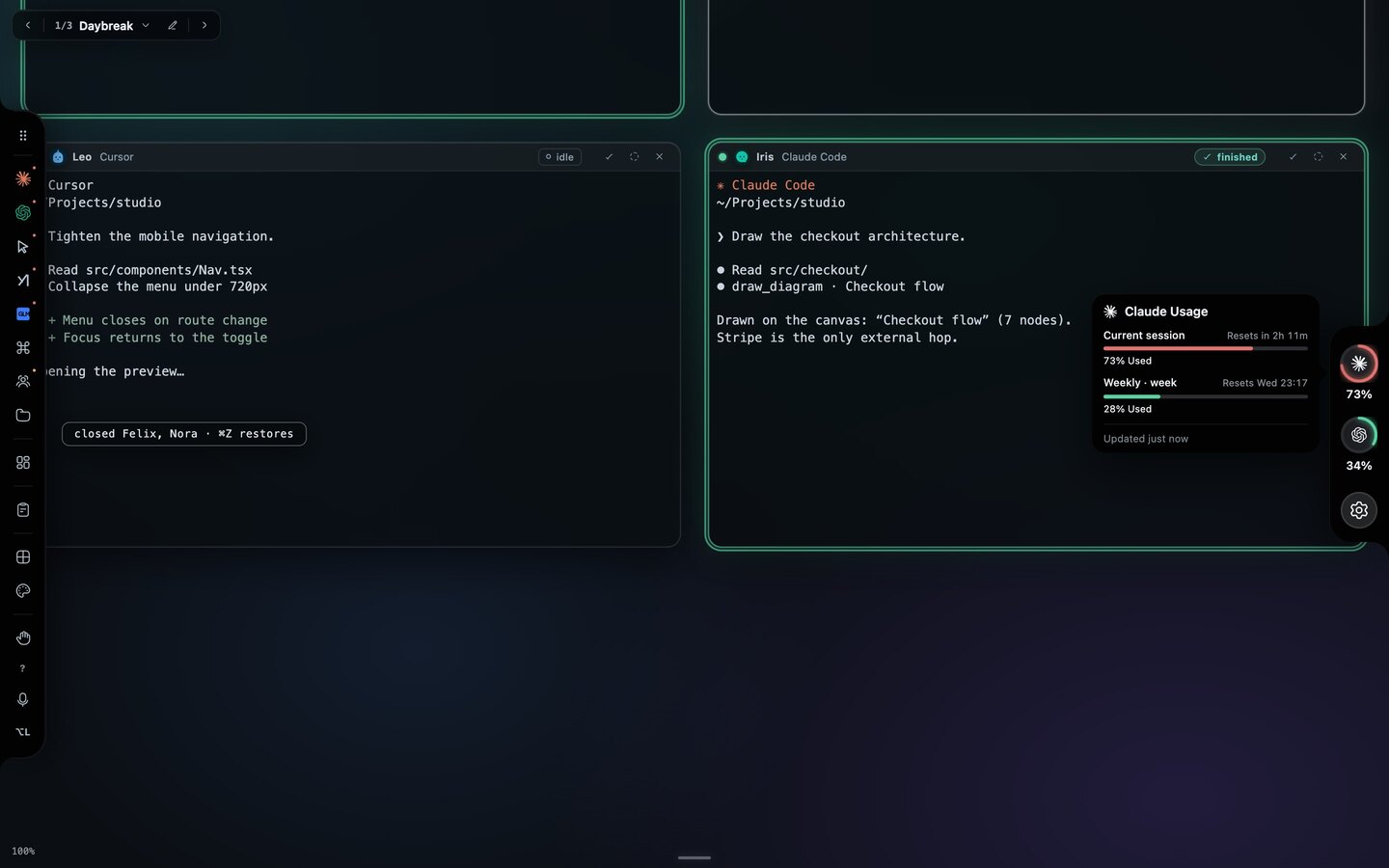
Captured from the app with scripted usage figures.
When Claude Code runs out mid-task, open the model menu from the chip in its window header, select Continue from recorded conversation and choose Codex. Starkomand continues from its saved record, so the limited agent does not have to reply. Some history may be shortened, so stop any active turn first.
Pass work between them with a brief
Side by side works best when the agents take turns on one task instead of working on two. In any window, Agent actions → Hand off… asks the agent to write a brief (the objective, the acceptance criteria and what it decided) and starts the other agent from that brief, joined to it by a wire on the canvas. I walk through a full example in handing off a CSV export from Claude Code to Codex. For the one-writes-one-reads setup, a Review handoff gives Codex the diff and the goal without Claude Code's reasoning, so it forms its own findings. This walkthrough uses a second agent to review a search race condition.
The Starkomand features in this walkthrough
- Claude Code, Codex and other CLI agents with your own sign-ins.
- Hand work from one agent to another with a saved brief.
- Address each agent by name with voice commands.
- Usage rings and limit handoff between providers.
- Answers on running Claude Code and Codex together.
More walkthroughs: coming back to two agent sessions without rereading their terminals, and why I put coding agents on an infinite canvas.
To run your own Claude Code and Codex side by side, start the 3-day trial of Starkomand. It includes every feature, and both agents keep using the plans you already have.